App Homepage Redesign
Transforming passive scrolling into dynamic content discovery
Client
Bandsintown
Role
Lead UX/UI Designer
Tools
Zeplin, Sketch
Duration
3 Months

Overview
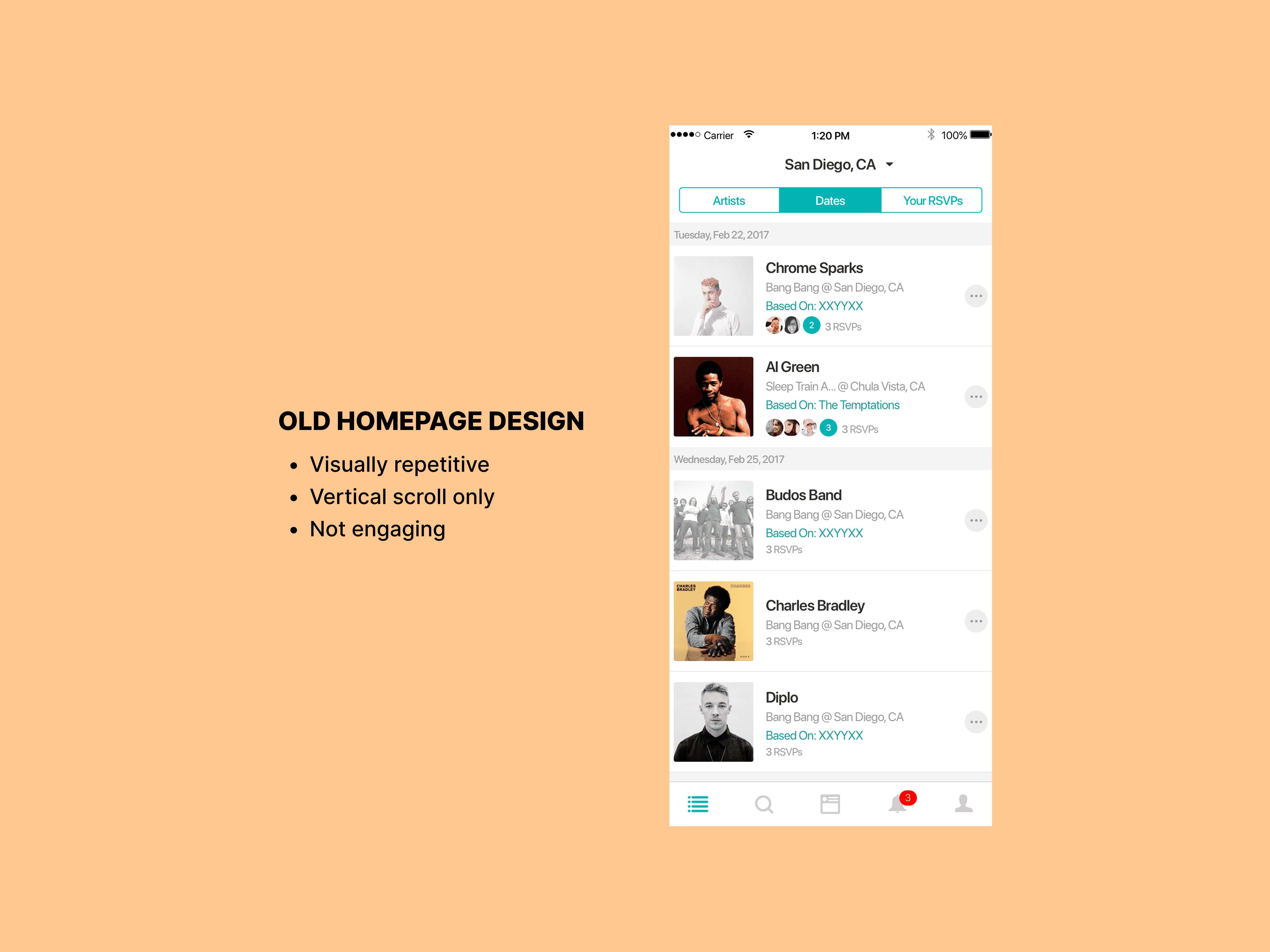
Led the redesign of the Bandsintown homepage to improve show discovery and encourage deeper content exploration. The existing homepage relied on a repetitive vertical list that limited personalization and reduced engagement beyond initial results. This redesign reframed the homepage as a modular, scalable discovery surface. Primary Success Metrics: Scroll depth, content interaction rate, and homepage engagement.
Goals
• Increase homepage engagement • Improve discovery beyond primary results • Encourage interaction with recommended content • Create a scalable layout system
Constraints
• Existing backend content structure • Need to preserve familiarity for existing users • Tight development timeline
Process
Design Strategy
The redesign focused on: • Modularity: Flexible content blocks • Hierarchy: Clear grouping and prioritization • Scalability: Reusable components for future growth
Research
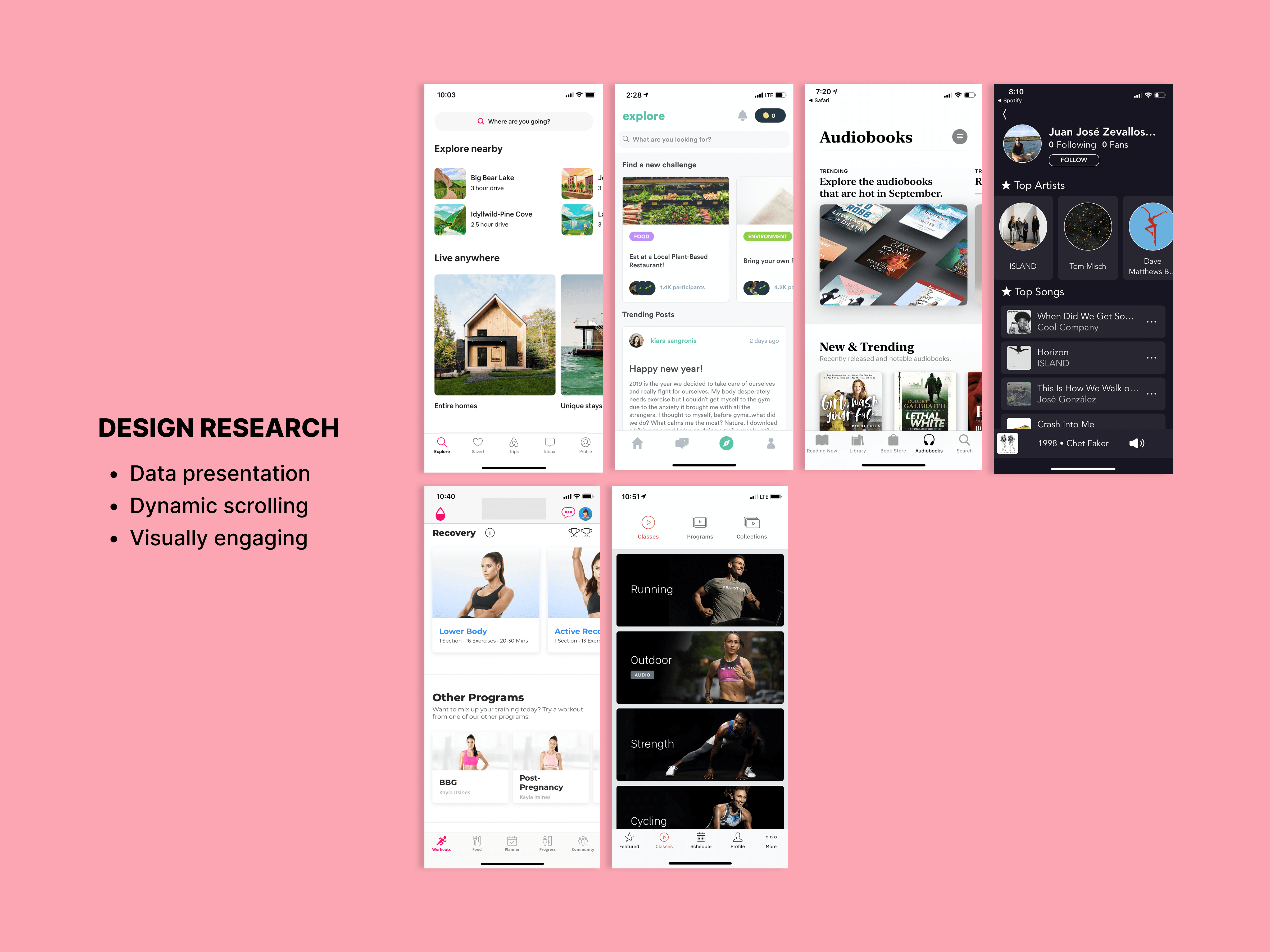
Conducted competitive benchmarking and reviewed user behavior patterns related to content discovery. Key Insights: • Categorized sections increase scannability • Visual hierarchy reduces cognitive load • Dynamic modules encourage exploration
User Journey
Mapped user interaction patterns to identify where exploration stopped. Key Focus Areas: • Reducing visual repetition • Breaking up vertical scrolling • Supporting personalized recommendations
Final Design
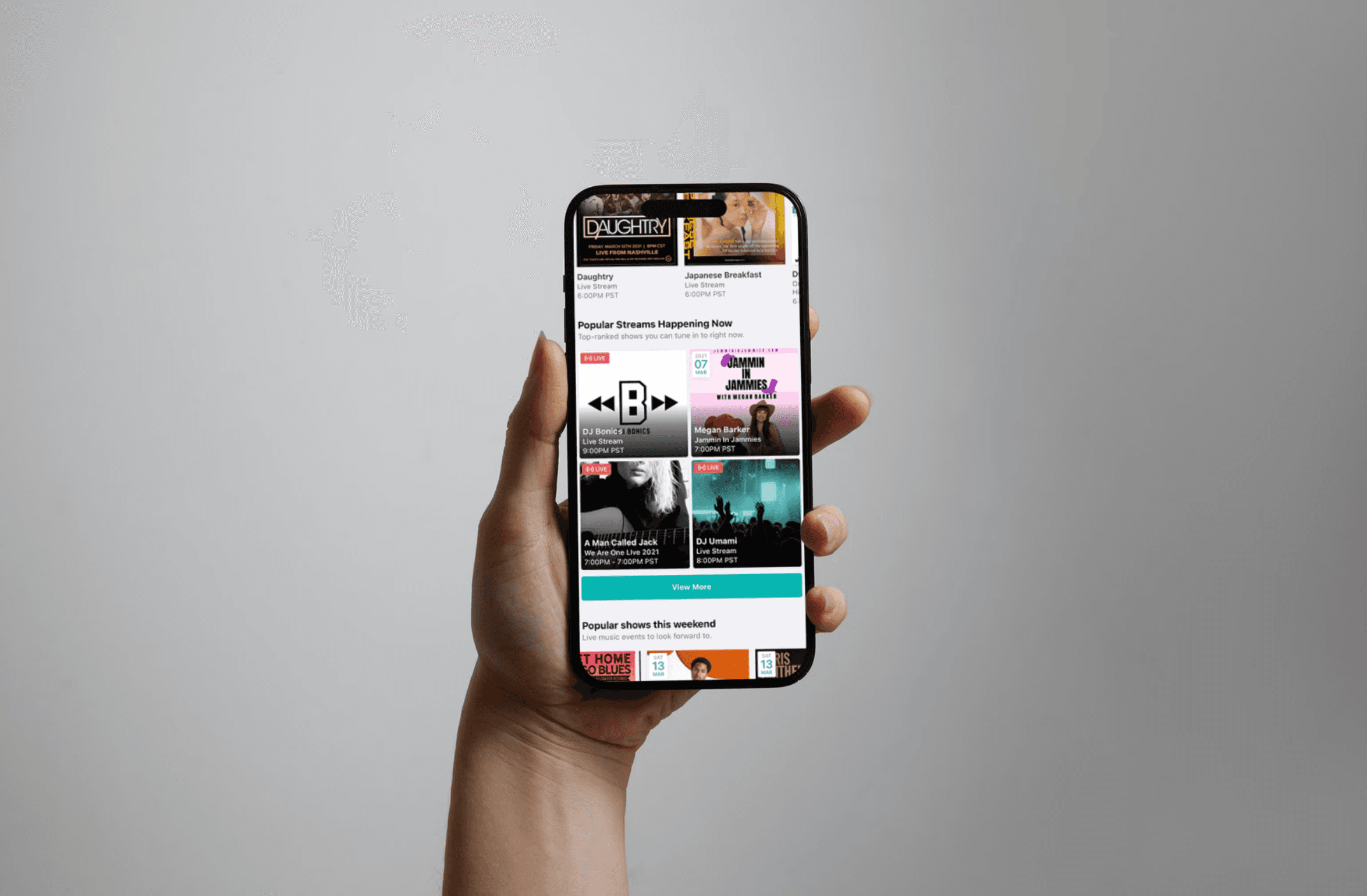
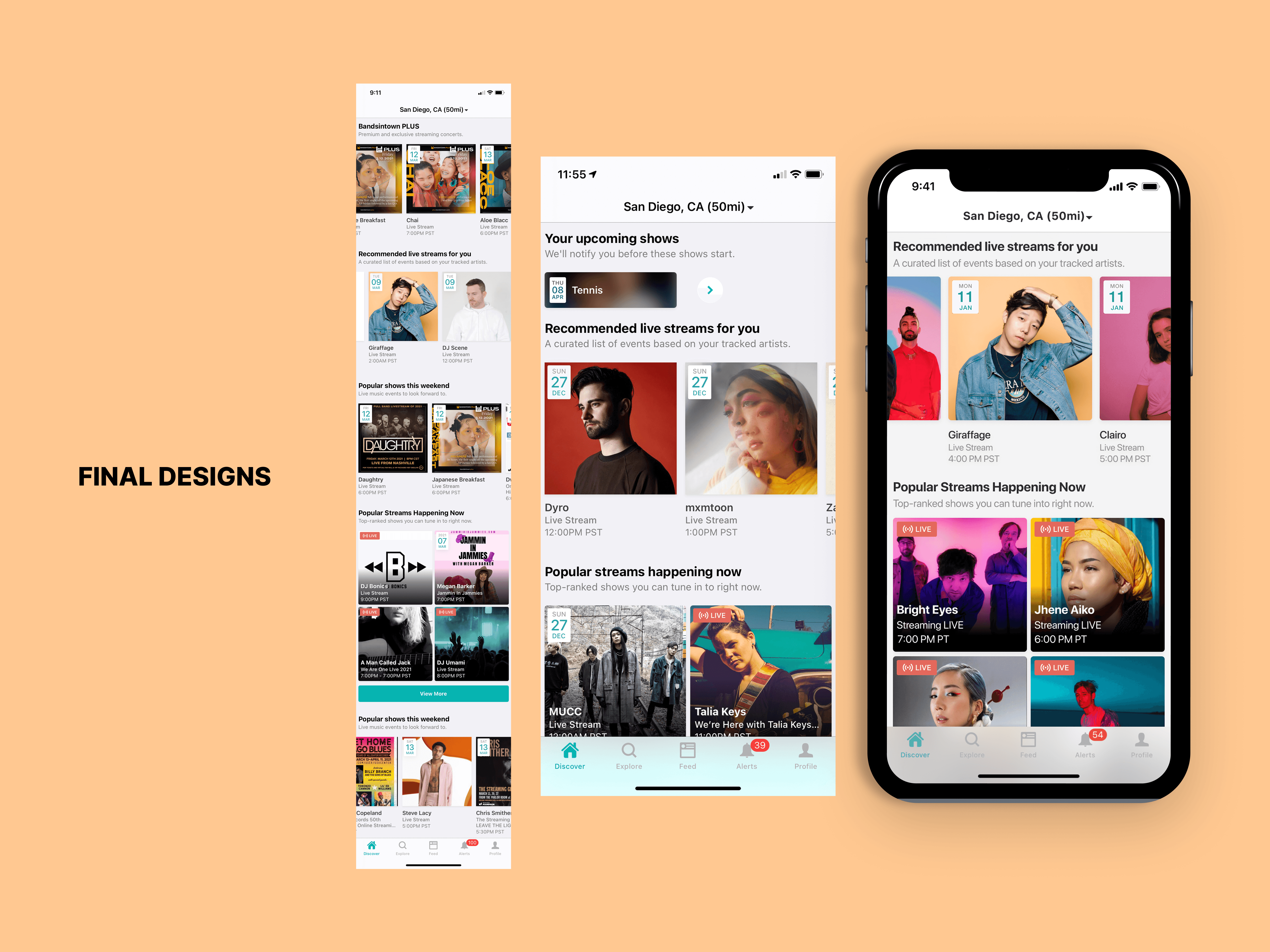
The updated homepage: • Introduces modular content sections • Supports dynamic personalization • Improves visual hierarchy • Encourages exploration beyond linear scrolling

Outcome
Conducted competitive benchmarking and reviewed user behavior patterns related to content discovery. Key Insights: • Categorized sections increase scannability • Visual hierarchy reduces cognitive load • Dynamic modules encourage exploration
The updated onboarding flow:
Clearly communicates value upfront
Breaks setup into manageable steps
Uses visual hierarchy to reduce cognitive load
Guides users smoothly toward activation