Keyless Entry Feature
Designing a secure, hardware-integrated mobile experience for seamless community access
Client
Irvine Company
Role
Lead UX/UI Designer
Tools
Figma, Jira
Duration
4 Months
Project Overview
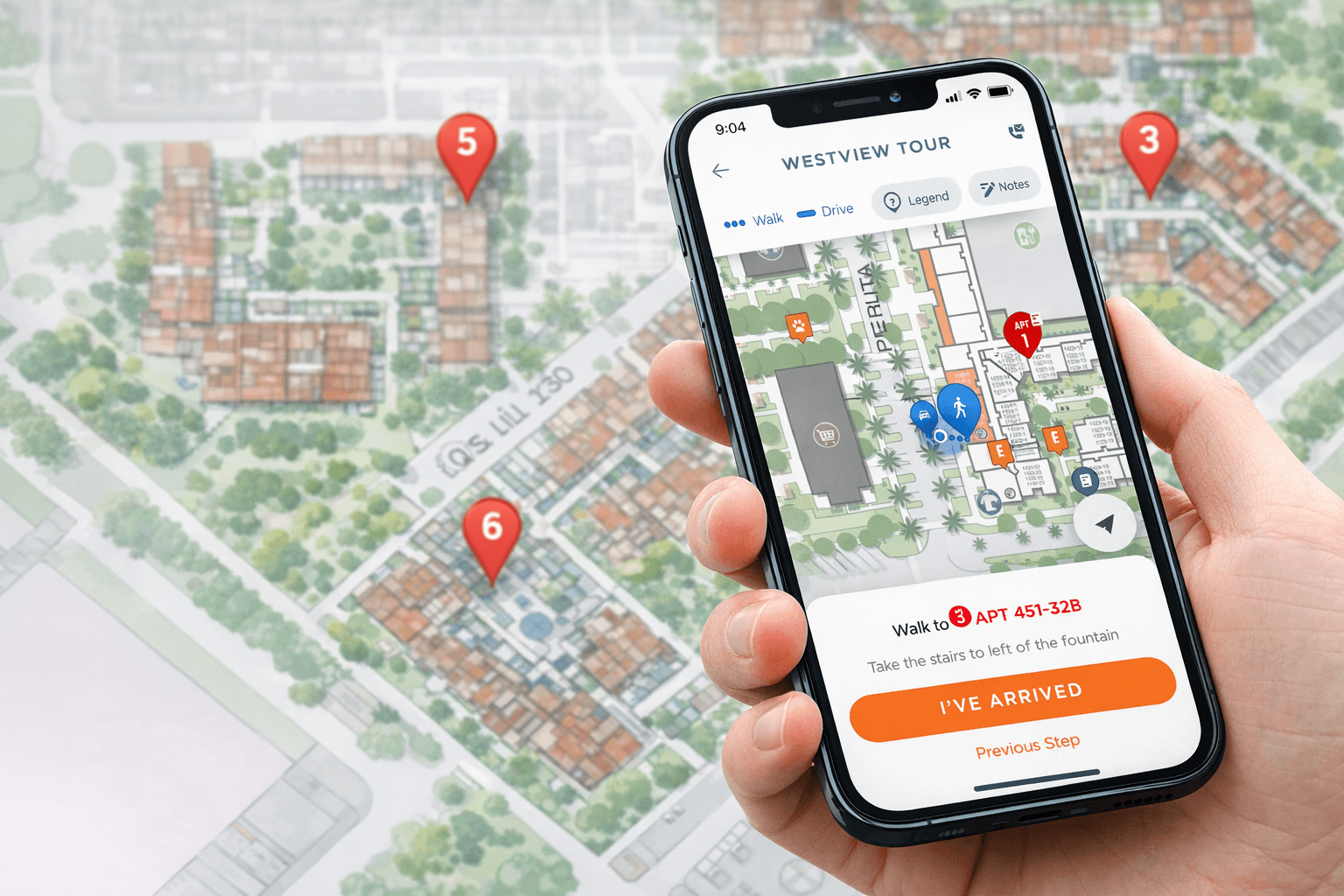
Led the UX design of a keyless entry feature enabling residents to lock and unlock community doors via mobile. This initiative required translating complex hardware constraints and third-party lock system limitations into a clear, intuitive user experience. The feature needed to balance security, technical feasibility, and usability across multiple edge cases. The project evolved significantly during development, requiring a full UI redesign mid-process to accommodate new system requirements. Primary success metrics: successful unlock rate, reduced access friction, and clear error-state communication.
Goals
• Create a secure, intuitive locking and unlocking experience • Reduce friction during door access • Clearly communicate system states (Bluetooth, proximity, lock status) • Account for multiple user and environmental edge cases • Ensure technical feasibility within third-party lock constraints
Constraints
• Dependent on a third-party hardware lock system • Limited control over backend functionality • Bluetooth and proximity-based technical limitations • Security and safety compliance requirements • Multiple user states and failure scenarios
Process
Iteration & Design Strategy
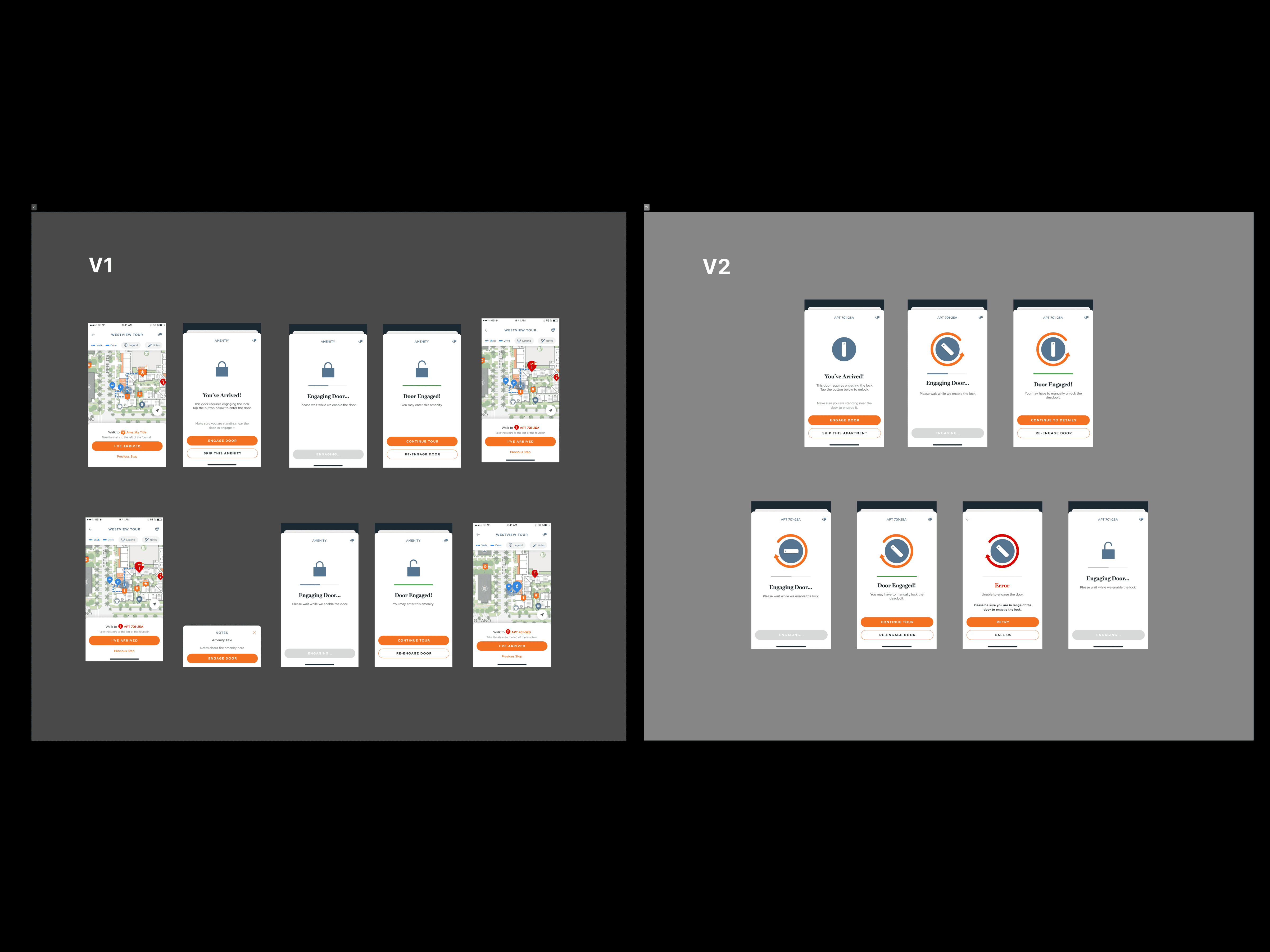
The project underwent two major iterations. After initial screens were developed, new technical requirements surfaced. Rather than patch the existing UI, I led a full redesign to better align with updated system logic. The redesign focused on: Clarity – Clear system feedback at every step State Transparency – Explicit communication of Bluetooth and proximity requirements Progress Feedback – Animated indicators to reassure users during connection delays Security Confidence – Visual reinforcement of successful lock/unlock actions Frequent design reviews with developers ensured feasibility and prevented mismatches between UI expectations and hardware behavior.
Research & Technical Discovery
I began by collaborating closely with developers to understand how the lock system functioned, including its integration requirements and limitations. Because we were working with a third-party provider, we had limited flexibility in system behavior. It was critical to: • Map system capabilities and restrictions • Identify technical edge cases early • Define required UI states for every lock scenario This early alignment reduced downstream redesign risk.
User Flows & Edge Case Mapping
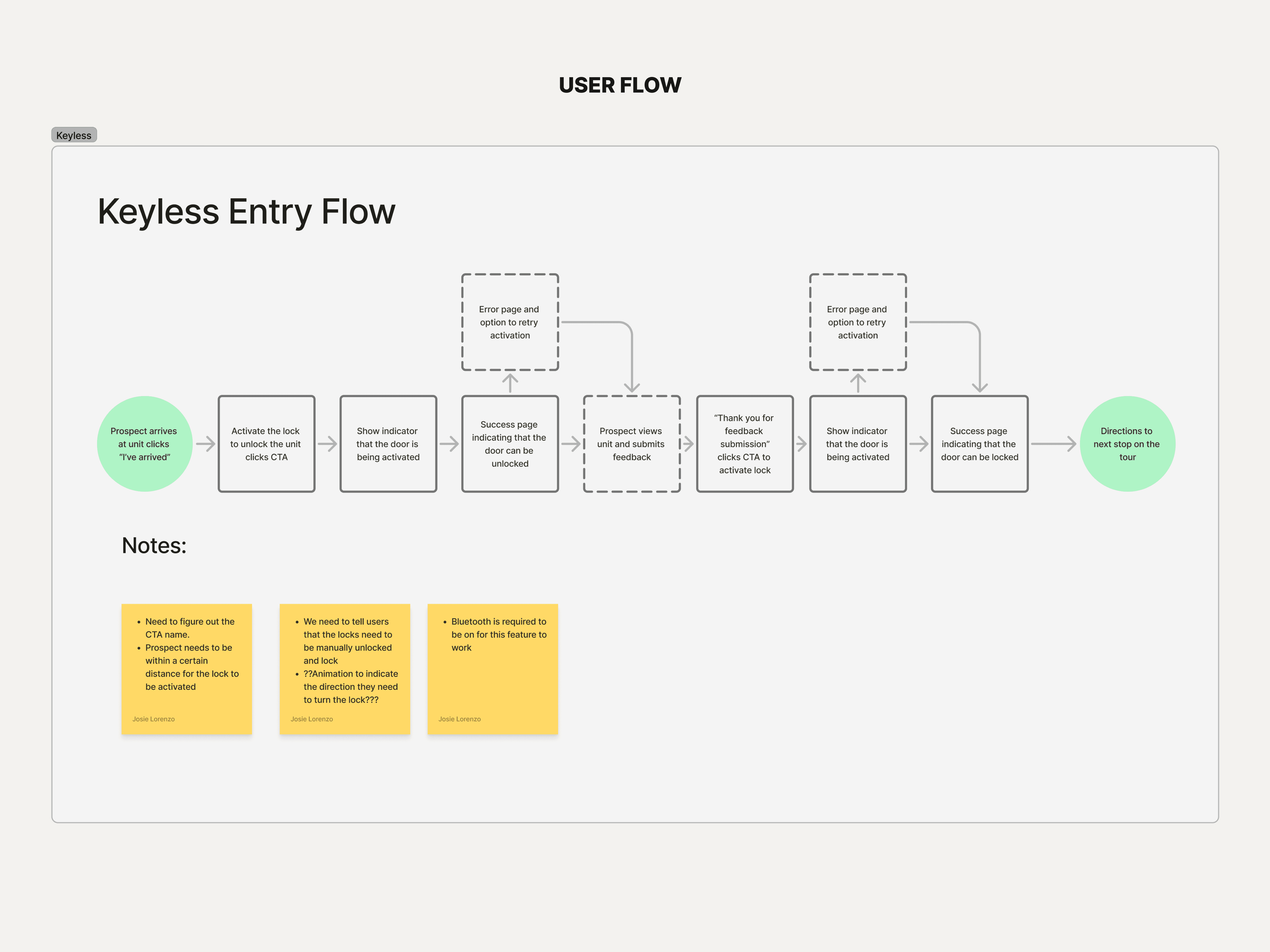
Given the complexity of physical access control, I mapped comprehensive user journeys covering: • Successful unlock scenarios • Bluetooth disabled states •Out-of-range proximity • System timeouts • Lock engagement delays • Error and retry flows The goal was to ensure users always understood: • What was happening • Why it was happening • What action to take next This reduced ambiguity during potentially stressful moments (e.g., locked out situations).
Final Design
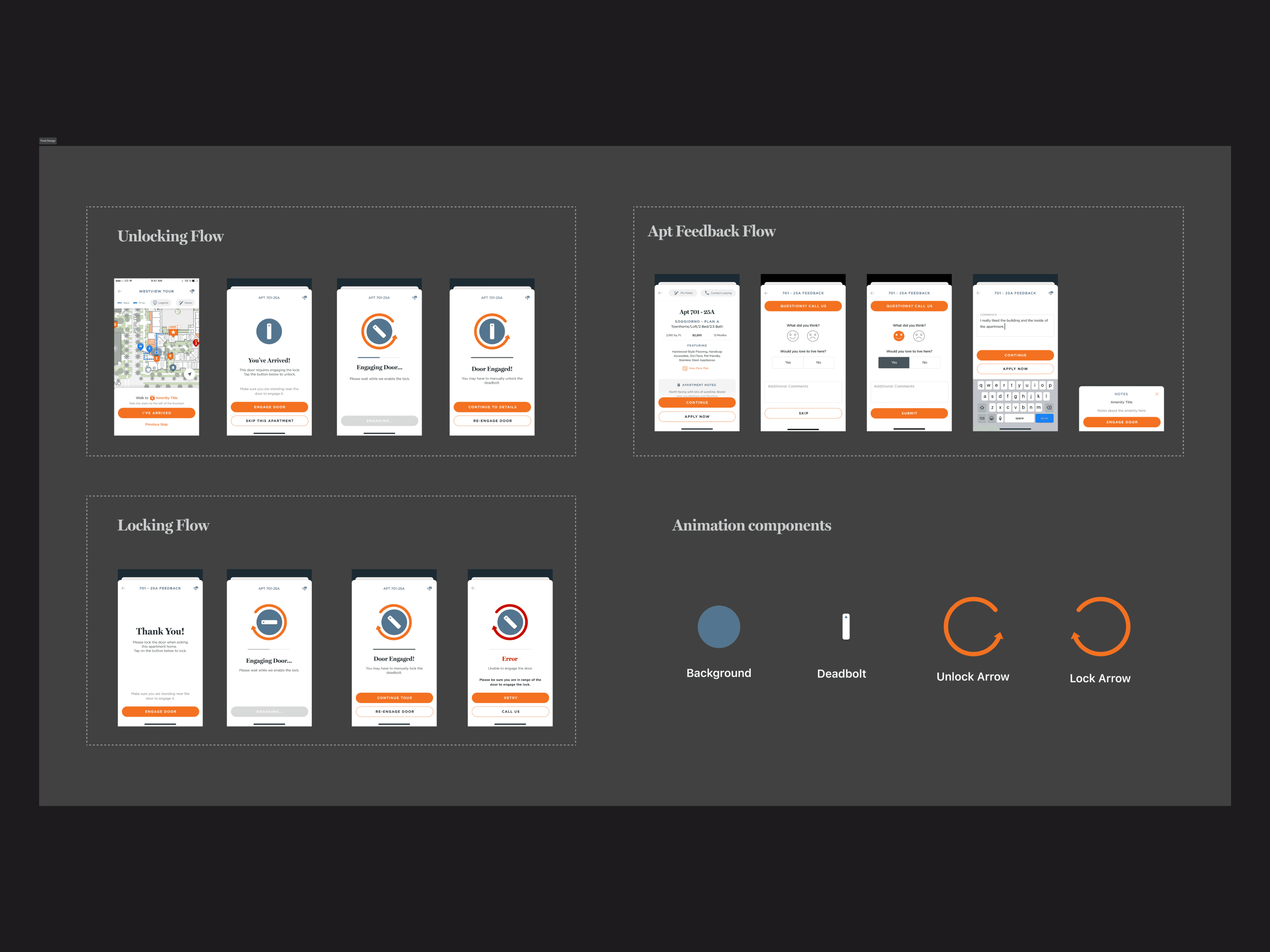
• The final solution introduced: • Clear step-based access flow • Real-time system status indicators • Proximity and Bluetooth notifications • Animated feedback for connection and unlocking states • Distinct success and failure confirmations The interface was refined to reduce cognitive load while reinforcing security and reliability.
Outcome
I began by collaborating closely with developers to understand how the lock system functioned, including its integration requirements and limitations. Because we were working with a third-party provider, we had limited flexibility in system behavior. It was critical to: • Map system capabilities and restrictions • Identify technical edge cases early • Define required UI states for every lock scenario This early alignment reduced downstream redesign risk.
The updated onboarding flow:
Clearly communicates value upfront
Breaks setup into manageable steps
Uses visual hierarchy to reduce cognitive load
Guides users smoothly toward activation